Building Comparison
With Building Comparison, we can check the ratio of OSM building area compared with two reference datasets.
Result
You’ll find the results of the query in the result log below. The green, yellow or red banner in the top left shows the attribute completeness level.
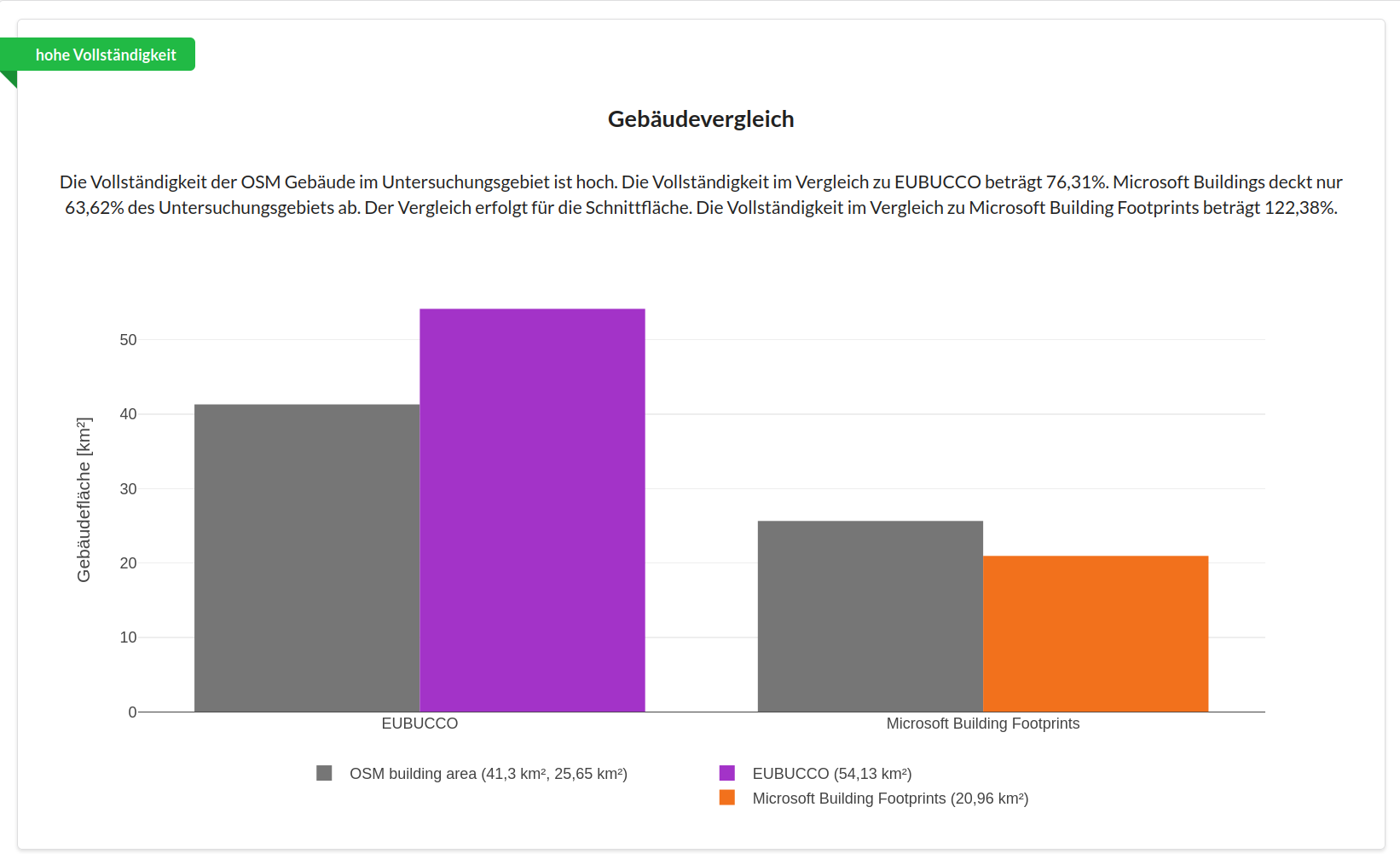
The figure shows a bar chart with two bars for each reference dataset available in the area of interest: the building area of the corresponding reference dataset within the area of interest, and the OSM building area, shown in grey.
Methods and Data
Extrinsic approach
The result is the ratio of the total building area in OSM divided by the total building area in the reference dataset. Depending on the availability of the reference datasets in your area of interest, the result log gives you 1-2 comparison charts. Building Comparison is an extrinsic method, meaning OSM data is compared against external reference datasets. This gives an indication of the completeness of the OSM data. However, the reference datasets shouldn’t be assumed to be fully correct or up to date.
Reference datasets:
EUBUCCO: EUBUCCO is a Europe-wide dataset of building footprints derived from administrative datasets. It contains over 300 million building footprints across Europe. This is the most complete building footprint dataset available. However, it’s older, may be outdated, and only covers areas within Europe.
Microsoft Buildings: The Microsoft Buildings dataset is a worldwide dataset of building footprints. A machine learning approach was used to derive building footprints from satellite imagery. Besides the unavoidable errors that occur with machine-learning-based feature detection, this dataset’s main advantage is its worldwide coverage.
In the area-of-interest selection panel in the Dashboard, you can see white, light grey and dark grey regions once the Building Comparison indicator is activated. This shows the availability of the reference datasets.
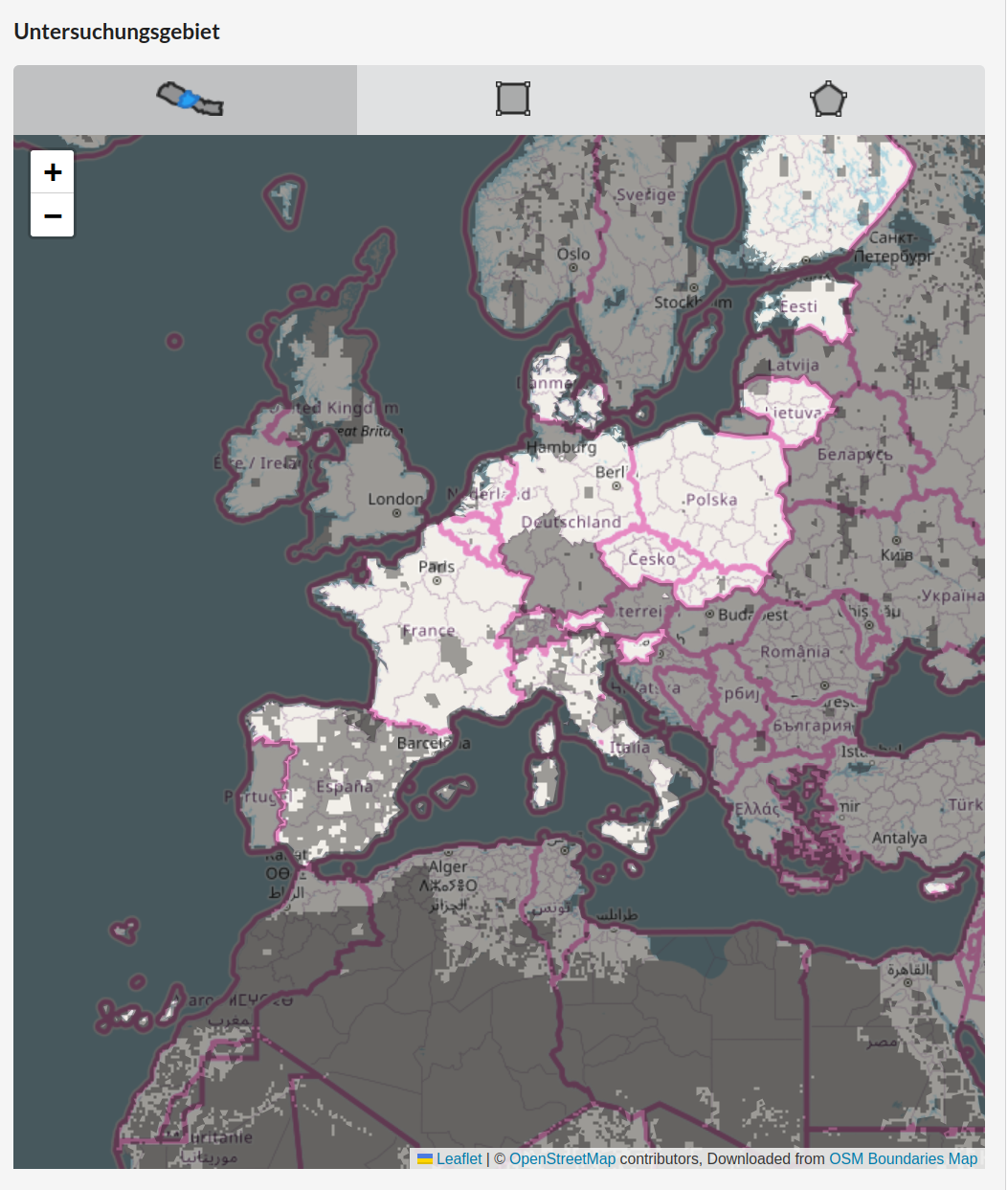
In white areas, both reference datasets are available.
Light grey areas indicate that only one of the two possible reference datasets is available.
Dark grey areas are regions without any reference dataset.
A result is only calculated if at least 50% of your selected area is covered by a reference dataset.
Examples
The figure below shows the Building Comparison indicator for Las Palmas, where EUBUCCO covers a larger part of the islands than Microsoft Buildings. Only OSM building footprints within the area covered by the reference dataset are taken into account for the comparison. As a result, the total OSM building area appears smaller in the comparison with Microsoft Buildings than in the comparison with EUBUCCO.