Custom Topics
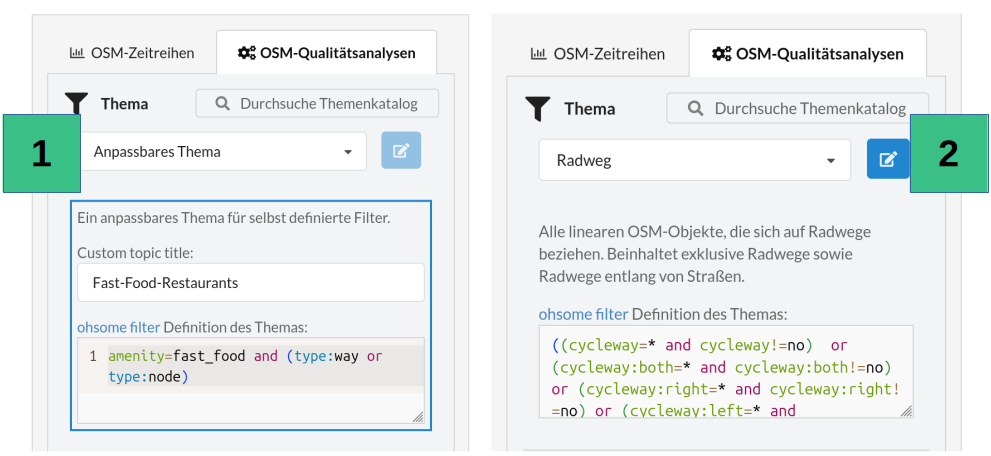
Besides the predefined topics, the Dashboard also lets you create your own topics or modify existing ones. To do the former, select Custom Topic from the topic dropdown (see 1 in the figure below). A new field then appears under the selected topic, where you can set a title for your own topic. Below that, the field for the ohsome filter definition becomes editable. The filter syntax is documented at this link and follows this pattern: <tag>=<value> and geometry:<point|line|polygon>. Alternatively, you can choose any other topic and press the blue button next to the topic field (see 2 in the figure below). This switches the topic to “Custom Topic” as described above. The ohsome filter of the previously selected topic remains in the field, though, and can now be edited. Additionally, the predefined aggregation type can be changed.