Currentness
The Currentness indicator measures how up to date OSM features are by analysing the distribution of their most recent contributions.
Methods and Data
Intrinsic approach
The Currentness indicator takes into account all changes to geometries and attributes (excluding deletions) since 2008, aggregated in monthly intervals. The result value is calculated as the percentage of features that were last edited within the last 36 months, normalised to a range of 0 to 1. Every contribution is assigned to one of three quality levels:
Outdated (< 0.5): features that haven’t been updated over a longer period (more than 8 years) are classified as outdated. These thresholds are expressed in months since the current date. For each quality level, the relative share of contributions falling into that category is calculated.
In-between (0.5 - 0.75): contributions last edited within a period of 4 to 8 years are classified as in-between.
Up-to-date (> 0.75): features are considered up to date if their last edit falls within a predefined short window of under 4 years. Generally, it’s worth noting that data can still be accurate for a given topic even when it’s outdated. Natural land cover areas such as forests, for example, may still be correct even after more than 8 years.
Result
You’ll find the results of the query in the result log below. The green, yellow or red banner in the top left shows the attribute completeness level.
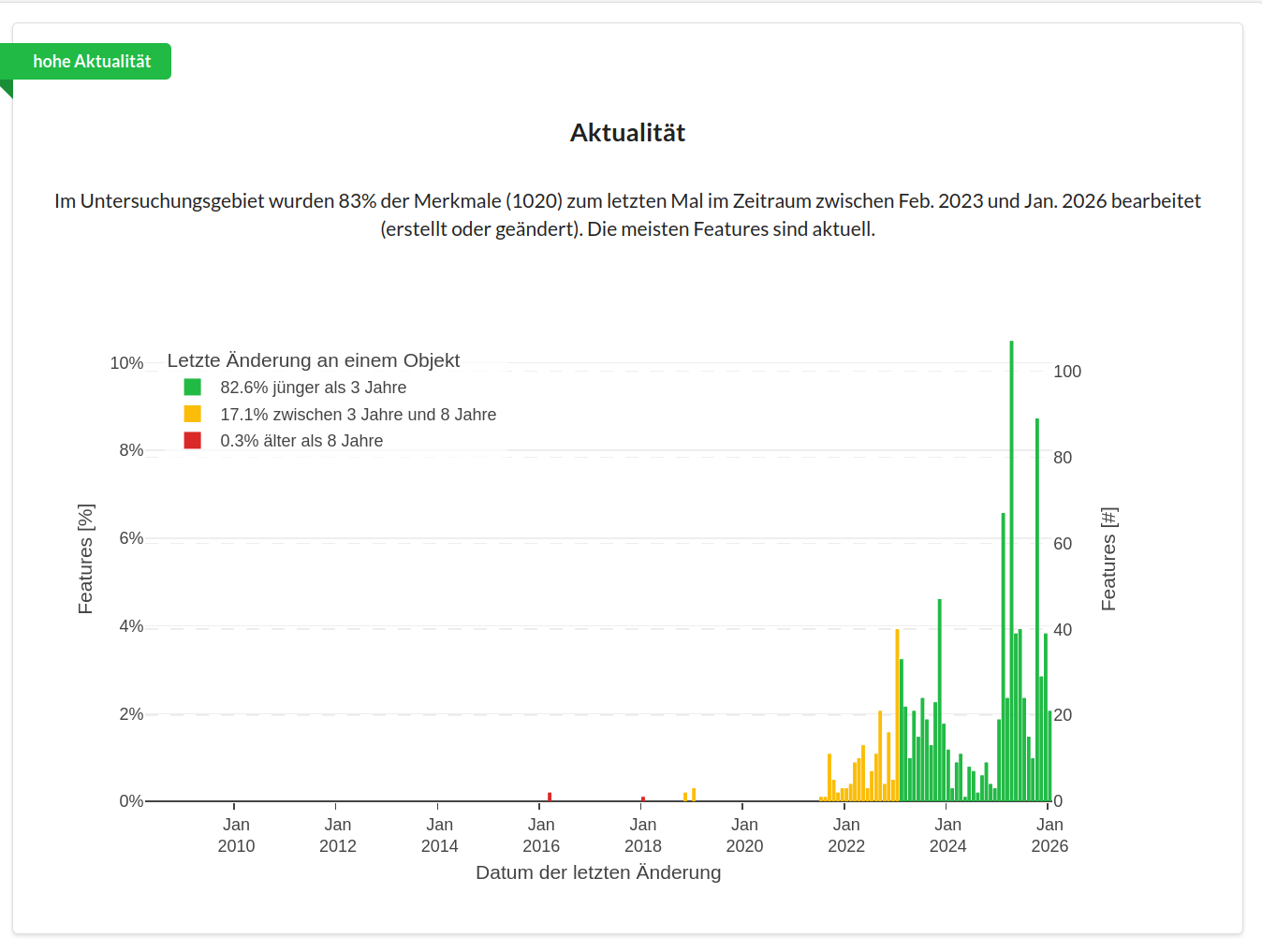
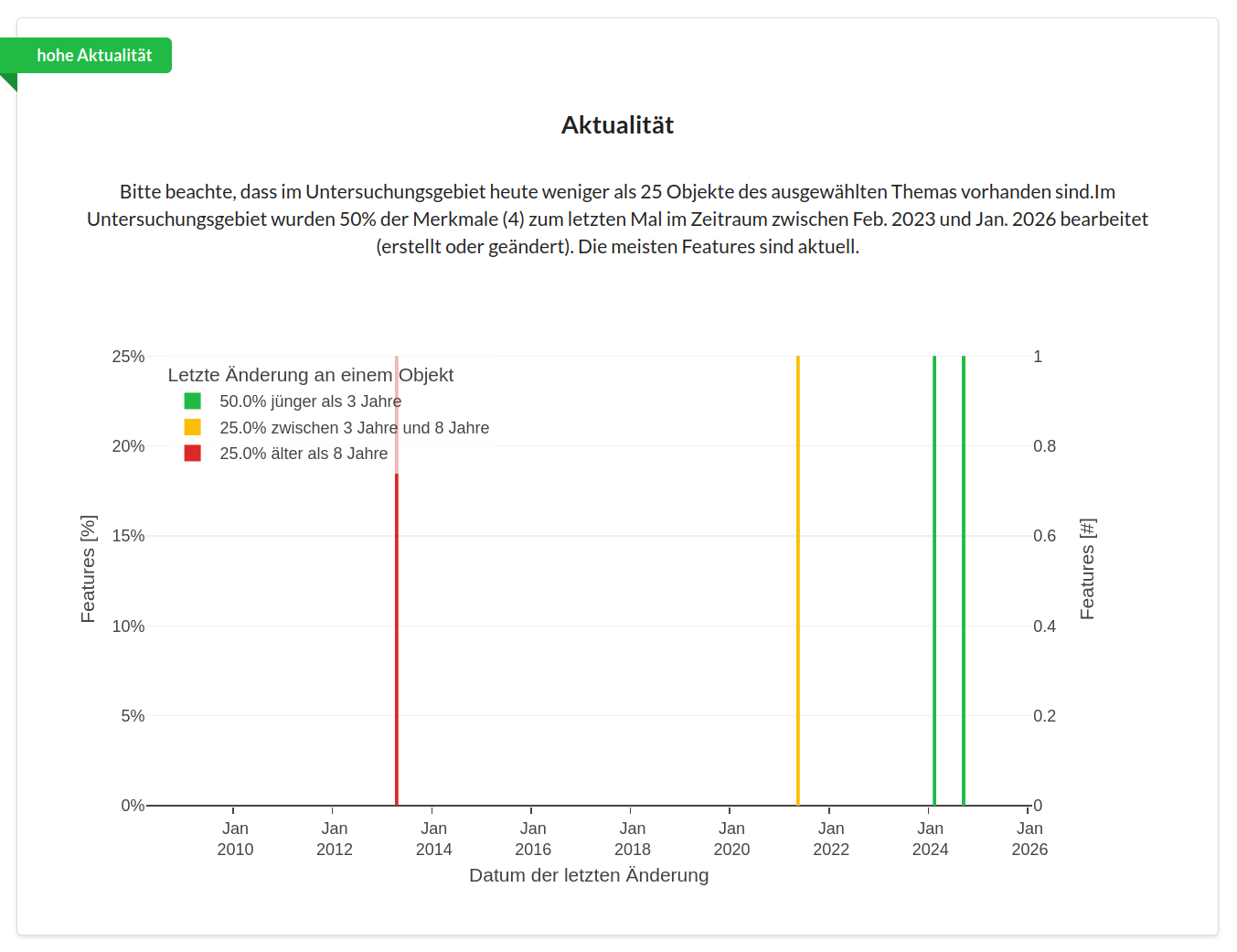
In the chart, a bar is shown for each month on the X-axis. The height of the bar indicates what percentage of the OSM features of the selected topic that exist today were last edited in that month. The colour indicates which of the quality levels described above that month falls into. The legend shows the summed percentages for each quality level. The Y-axis on the left shows the percentage values, while the right-hand side shows the absolute values of the corresponding aggregation.
Example
Let’s take a look at some results from the Currentness indicator. The first figure shows changes to features of the topic Fire Stations in Erding, and how they’re distributed over time. This is what a result can look like when there are very few features of the queried topic in the area of interest, and they’re edited only rarely. If we hover over the coloured lines, a window opens with further information. Here we can see that exactly one feature was edited at each point of change.
In the next figure, we see the currentness of Public Transport Stops in Karlsruhe. Here we have a topic with many individual features that can change more frequently due to construction work or timetable changes.